

Buyer guidePublished 26 October 2026

Office IT Clearance in the UK: What to Do With the Technology When You Close, Move or Downsize

Closing, moving or shrinking an office is a project with a hard deadline, and IT is usually the last thing anyone plans for. The result is a cupboard of equipment nobody owns and a landlord who wants the keys. This guide gives you a practical order of work so nothing is left behind and nothing sensitive leaves unrecorded.

ISO 27001NIST 800-88WEEE CompliantCyber Essentials
Three staff in high-visibility vests packing a desktop tower and equipment cases for transit
Inside our UK facility
Three staff in high-visibility vests packing a desktop tower and equipment cases for transit
The short answer

What should you do with the IT when you close or move an office?

Start with a full inventory, because you cannot erase or certify what you have not listed. Sort kit into reuse, redeploy and retire, check for hidden data in printers, network equipment, phones and tapes, then book one collection with serial-level reporting. Keep the paperwork, as your duty for that data continues after the lease ends.

The lease ends, the data does not

When you hand back the keys, the computers left behind are still your responsibility in a practical sense. The ICO's guide to data security names the abandonment of old computers as one of the ways security incidents happen, and lists how you dispose of electronic waste as part of your physical security.

In our experience it is common for businesses to find equipment from an office that closed years earlier, still sitting in a cupboard or a storage unit. That is our observation from enquiries, not a statistic. The longer it sits, the harder it is to remember what it held and who is responsible for it.

The fix is to plan the IT in five steps, starting well before the exit date.
Step 1: Count everything, including what you forgot

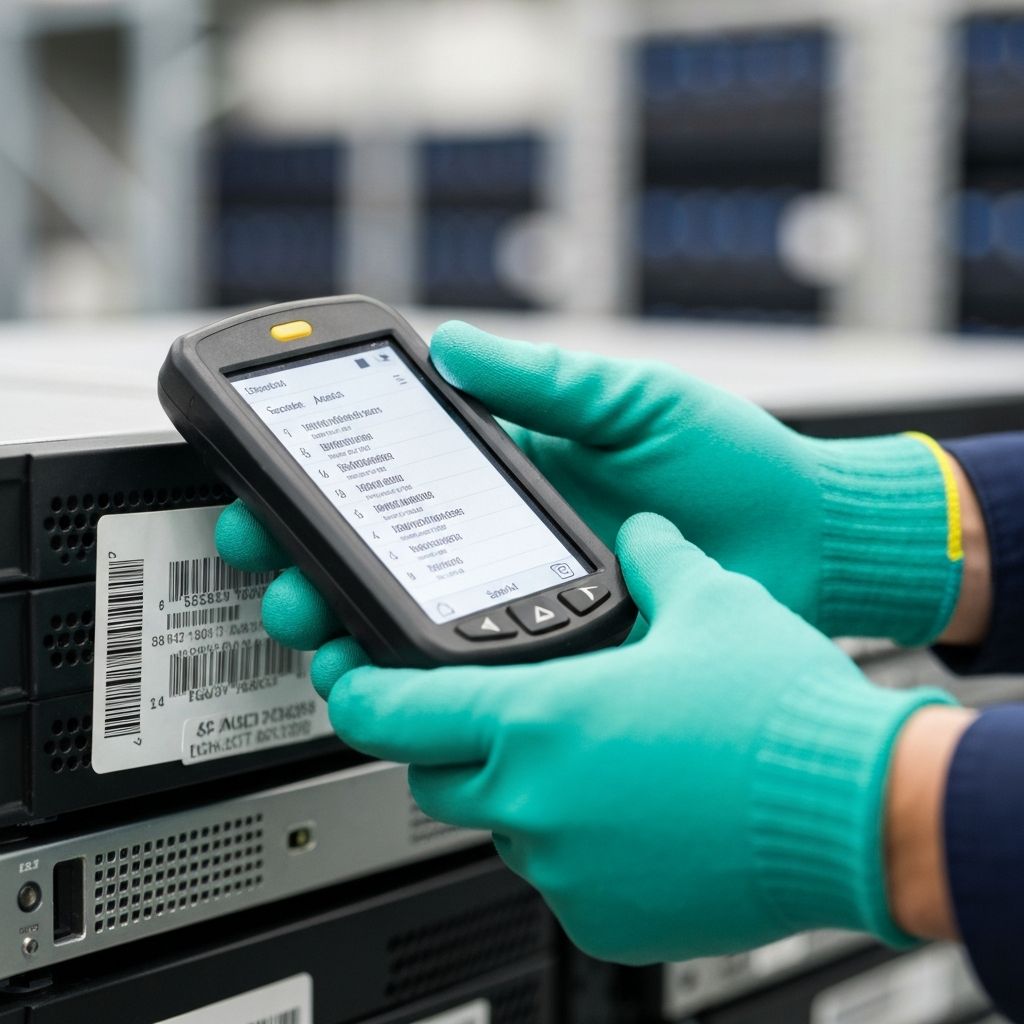
A certificate is only as good as the list behind it. Walk the whole site, including comms rooms, storage cupboards and desk drawers, and record each item. The table shows where data hides in a typical office.

ItemWhy it mattersRead more
Laptops and desktopsHold local files, cached mail and saved passwords on their drives.Retiring Windows PCs
Servers and NAS boxesHold shared files and backups for the whole business.Onsite or offsite destruction
Routers, switches and firewallsConfigurations can hold admin logins, VPN details and keys.Network kit disposal
Printers and copiersCan store scanned documents, address books and credentials. Leased units go back to the lessor.Leased printers
Backup tapes and external drivesOften forgotten, and often a full copy of the business.Backup tapes
Phones and tabletsHold mail, messages and app data. Removing the SIM protects none of it.Remote wipe limits
UPS units and batteriesLead-acid batteries are hazardous waste. Swollen laptop batteries are a fire risk.Swollen batteries

Record at least the type, make, model and serial number. If the count is large, ask your disposal partner to reconcile it against what they receive.

Step 2: Decide what to reuse, redeploy or retire

Not everything has to go. Sort the inventory into three piles:

  • Redeploy to staff who are staying, or to your new premises.
  • Reuse outside the business. Working laptops and desktops that have been erased and tested can be resold, which recovers some value.
  • Retire anything that is obsolete, failed or too sensitive to leave your control.

Reuse sits above recycling in the waste hierarchy, so it is both the greener and often the cheaper route. Our guide to business IT waste explains the hierarchy and what the law expects.

A gloved hand holding a handheld scanner beside a barcoded asset label on rack equipment

Step 3: Check contracts and accounts before kit leaves

Some of the equipment may not be yours. Check lease agreements, rental contracts and any managed service arrangements. The ICO's older disposal guidance for organisations advises checking what a leasing company will do with returned equipment, including whether it wipes personal data before resale or recycling, and wiping items such as printers yourself before they are returned.

Then tidy the accounts that point at the hardware. Remove devices from your management console and cloud accounts, revoke certificates and licences tied to them, and change shared passwords that were stored on network equipment. Those are practical steps rather than legal requirements, but they close the loop.

Step 4: Book one collection, with evidence

One planned collection is safer than several ad hoc ones. Agree the inventory, the date and the access arrangements in advance. Offices in managed buildings often need loading-bay and lift bookings, and some only allow goods access outside business hours. Tell your provider early so the crew arrives with the right paperwork.

A proper collection leaves you with four things:

  • An inventory signed at the point of collection.
  • Secure transport to a controlled facility.
  • A report listing each device by serial number, reconciled against your inventory.
  • A certificate for the data destruction, and the waste transfer note for the load.

If the site is more complex, our secure office relocation service moves what you are keeping and clears what you are not in one project.

Step 5: Keep the paperwork

GOV.UK requires you to keep a copy of each waste transfer note for two years. Keep the destruction certificates and reconciliation report for as long as your own retention policy and your auditors require. If your business later closes or is sold, hand the records to whoever takes on that responsibility.

Closing or moving an office? Call 0800 677 1344 or email services@nanosoftltd.com. Most Essex collections are same-day or next-day from our Maldon base, and London collections are typically within 48 to 72 hours of a confirmed inventory. See Essex and London.

Common questions

Frequently asked questions

In practice you remain responsible for the data on it and for the waste your business produced, and your lease may add its own terms about items left behind. This is general information, not legal advice, so check your lease and clear the equipment before you hand back the keys.

Not necessarily. Your disposal partner can erase or destroy the drives and give you a certificate for each device. What you must do is keep the equipment secure until it is collected and make sure the inventory is accurate.

Yes, we can arrange out-of-hours and weekend collections where building access requires it. Tell us when you enquire so we can coordinate loading bays, lifts and building management.

Give us a rough list or a few photographs. Equipment is counted and recorded when it is collected, and the report is reconciled against that record, so you end up with a complete list even if you did not start with one.

Only if they are authorised to carry business waste and can give you data destruction evidence. A general clearance firm may do neither. Ask for the registration number, a waste transfer note and a certificate for each drive.

Talk it through with a specialist

Reading is the easy half. Send us your asset list or your questions and we will map this guide onto your actual estate, with a same-day quote and no obligation.

ISO 27001NIST 800-88WEEE CompliantCyber Essentials