
Buyer guidePublished 26 October 2026

Business Computer and Laptop Recycling in the UK: What to Check Before You Hand Anything Over

Recycling a pile of old computers sounds simple until you ask who is taking them, where they go and what happens to the data on the drives. This guide covers what UK law expects of a business, what a trustworthy collection looks like, and the questions that separate a proper service from a van and a promise.

ISO 27001NIST 800-88WEEE CompliantCyber Essentials
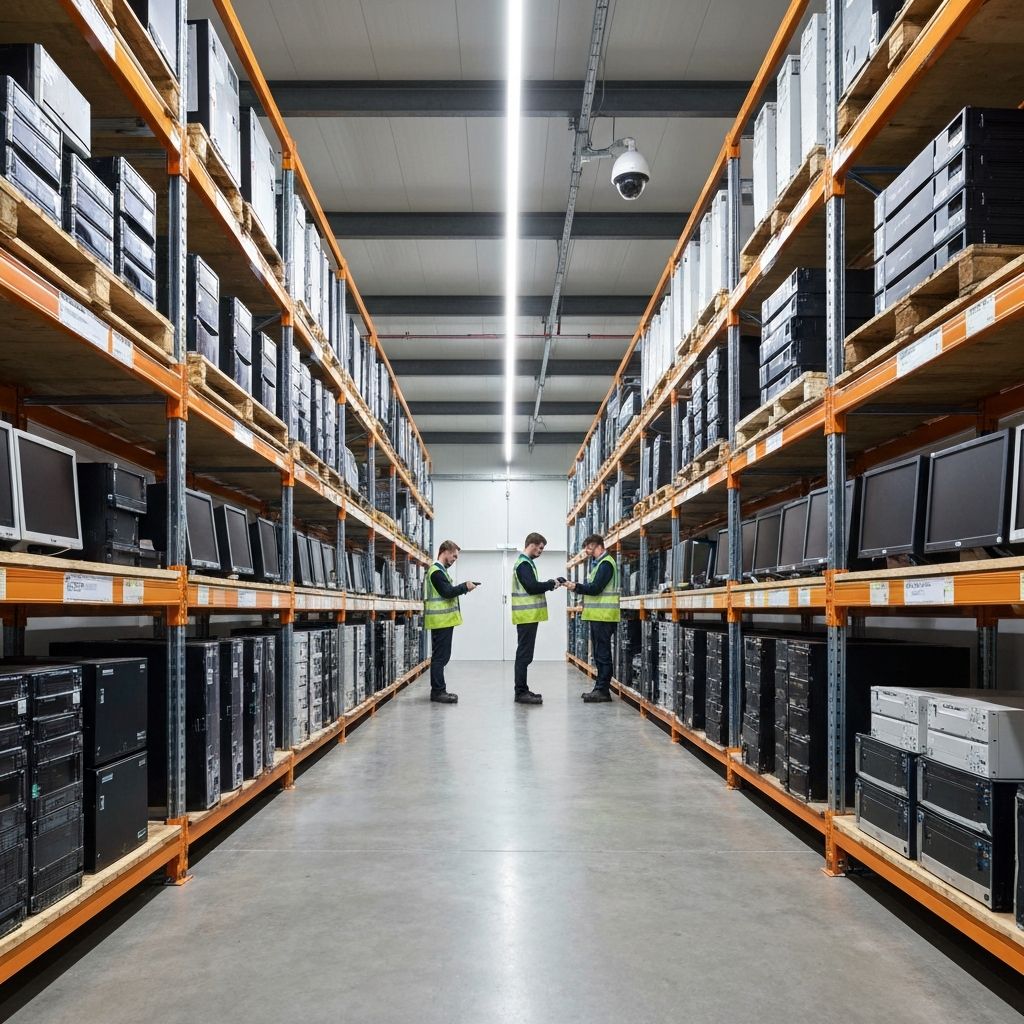
Racks of retired desktops, laptops and monitors in a warehouse awaiting sorting and testing
Inside our UK facility
Racks of retired desktops, laptops and monitors in a warehouse awaiting sorting and testing
The short answer

How do you recycle business computers and laptops in the UK?

Treat old computers as business waste. Pass them only to a registered carrier, sign a waste transfer note for each load and keep it for two years. Because every drive holds your data, insist on certified erasure or destruction and an itemised report. Ask whether working kit is reused before anything is recycled.

Old business computers are business waste

A laptop from a home user can go to a council recycling centre. A laptop from a business cannot be treated the same way. Any waste that comes from a commercial activity is business waste, and the business that produced it has legal duties until the waste is properly handled.

GOV.UK's guidance on business waste sets out what you must do. In short:

  • Do everything you reasonably can to prevent, reuse, recycle or recover waste, in that order.
  • Complete a waste transfer note for each load of waste that leaves your premises. A document with the same information, such as an invoice, can serve as the note.
  • Check that your waste carrier is registered.
  • Make sure the carrier does not dispose of your waste illegally.

Both your business and the business taking the waste fill in and sign the note, and each keeps a copy for two years. You may be asked to show it to an enforcement officer from your local council or the Environment Agency.

What a trustworthy collection looks like

Anyone can advertise computer recycling. The difference shows up in the detail of how the collection is run. Look for these signs:

  • A carrier you can verify. Ask for the registration number and check it on the public register yourself. Our compliance page explains which registers to check and why.
  • An inventory at the door. Equipment is counted and recorded, ideally by serial number, when it is collected. If nobody lists what leaves your building, nobody can later prove what was destroyed.
  • Secure transport. Devices travel in sealed or locked containers, not loose in the back of a van.
  • A clear chain of custody. You know who carries the equipment and where it goes. Vague answers about subcontractors are a warning sign.
  • Proof afterwards. An itemised report that matches the inventory, plus a certificate for the data destruction.

Our wider guide to choosing an ITAD provider turns these points into a ten-step checklist.

The data is a bigger risk than the hardware

The hardware has scrap value. The data has none, and it can do real harm. The ICO's guide to data security points out that many security incidents come from lost or stolen equipment, abandoned old computers and records that are incorrectly disposed of. It lists how you dispose of paper and electronic waste as part of your physical security.

The same guide explains that the UK GDPR does not define the security measures you must use. It requires a level of security that is appropriate to the risks your processing creates. That means you choose the method, and you must be able to justify it.

For computers, this usually means one of three things:

  • Certified erasure for drives that work, so the machine can be reused.
  • Physical destruction for drives that have failed, or where your policy requires it.
  • A named standard. NIST SP 800-88 is the one most UK providers work to. Our guide to onsite versus offsite destruction explains the options, and hard drive shredding for businesses covers when wiping is enough and when it is not.

A factory reset is not erasure. If someone suggests it is, read why a factory reset is not enough.

A technician at a refurbishment workbench testing a laptop before it is reused

Reuse first, recycling second

The waste hierarchy puts reuse ahead of recycling, and the GOV.UK guidance above says the same: prevent, reuse, recycle, recover. A business laptop that is three or four years old is often still a perfectly good machine for someone else, once it has been erased and tested.

Reuse has a second benefit. The value recovered from working equipment can offset the cost of collection and destruction, so a clear-out can cost less than you expect. See our honest guide to what IT asset disposal costs for how this works and when it does not.

We refurbish working equipment under our Environment Agency T11 waste exemption (EXP/BP3843JW). From November 2026, refurbished business IT will be sold through Lodestock, our refurbished IT shop. Whatever cannot be reused is sent for recycling.

What to ask for in a quote

Five questions make most quotes comparable:

  1. Is the collection carried out by your own staff and vehicles, or by a subcontractor?
  2. Will you list every device by serial number, and will your report match my inventory?
  3. How is the data destroyed, to which standard, and will I receive a certificate for each device?
  4. What happens to working equipment? Is it reused, and who keeps the proceeds?
  5. What documents do I receive for my own records, and when?

Our documentation checklist lists every record a complete job should leave behind.

Computer recycling in Essex, London and beyond

Nanosoft is based at Maldon Trade Park in Essex. Collections across most of Essex are usually same-day or next-day, so a business in Chelmsford, Colchester, Basildon or Southend does not wait for a national depot to reach it. London collections are typically scheduled within 48 to 72 hours of a confirmed inventory.

See the pages for IT asset disposal in Essex, London and Cambridge, or browse every area we serve.

Ready to clear out old computers? Call 0800 677 1344 or email services@nanosoftltd.com with a rough list of what you have and where it is, and we will tell you how we would collect it.

Common questions

Frequently asked questions

Not as household waste. Business waste falls under the duty of care. Some council waste sites accept business electrical waste if they are permitted to and may charge for it, so check first. The load that leaves your premises still needs its paperwork.

Yes. GOV.UK says you need a waste transfer note, or a document with the same information such as an invoice, for each load of non-hazardous waste that leaves your premises. Both parties sign it and keep a copy for two years.

No. The waste hierarchy puts reuse ahead of recycling. If a computer works and its data has been erased and verified, reuse is usually the better outcome for the environment and for your budget.

No. A standard factory reset is not erasure to a named standard. Use certified erasure to a standard such as NIST 800-88, or physical destruction, and ask for a certificate for each device.

Ask for their waste carrier registration number and check it on the Environment Agency public register. GOV.UK tells businesses to check that their carrier is registered. Also ask for a waste transfer note for every collection.

Talk it through with a specialist

Reading is the easy half. Send us your asset list or your questions and we will map this guide onto your actual estate, with a same-day quote and no obligation.

ISO 27001NIST 800-88WEEE CompliantCyber Essentials