
Why Factory Reset Is Not Enough: How to Properly Wipe a Hard Drive Before IT Disposal
Millions of businesses reset old devices and hand them over every year, convinced the data is gone. Research suggests 90% of them are wrong.
You replace a batch of laptops. An IT technician runs a factory reset on each one. They go to a disposal company or get sold on. Done. Secure. Everyone moves on.
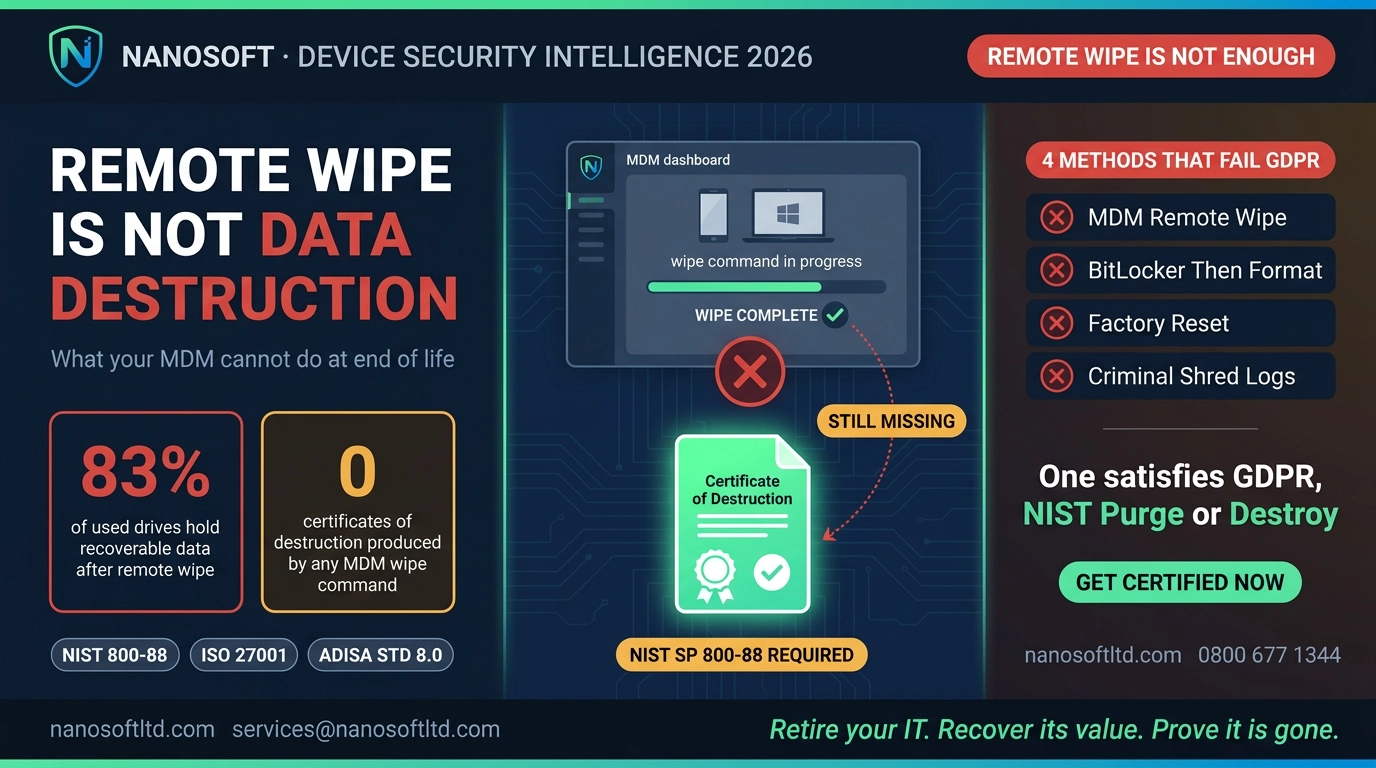
Except you are not done, and it is almost certainly not secure. A factory reset removes what the operating system can see. It does not remove the data underneath it. And the tools needed to find what is underneath are freely available to anyone who knows where to look.
Key takeaways
A factory reset removes the directory, not the underlying data.
90% of second-hand devices still contain recoverable data after basic deletion or reset.
SSDs and HDDs must be handled differently. Standard overwrites miss entire sections of SSD storage.
Under GDPR and the Data (Use and Access) Act 2025, UK businesses must prove destruction, not just claim it.
What a factory reset actually does
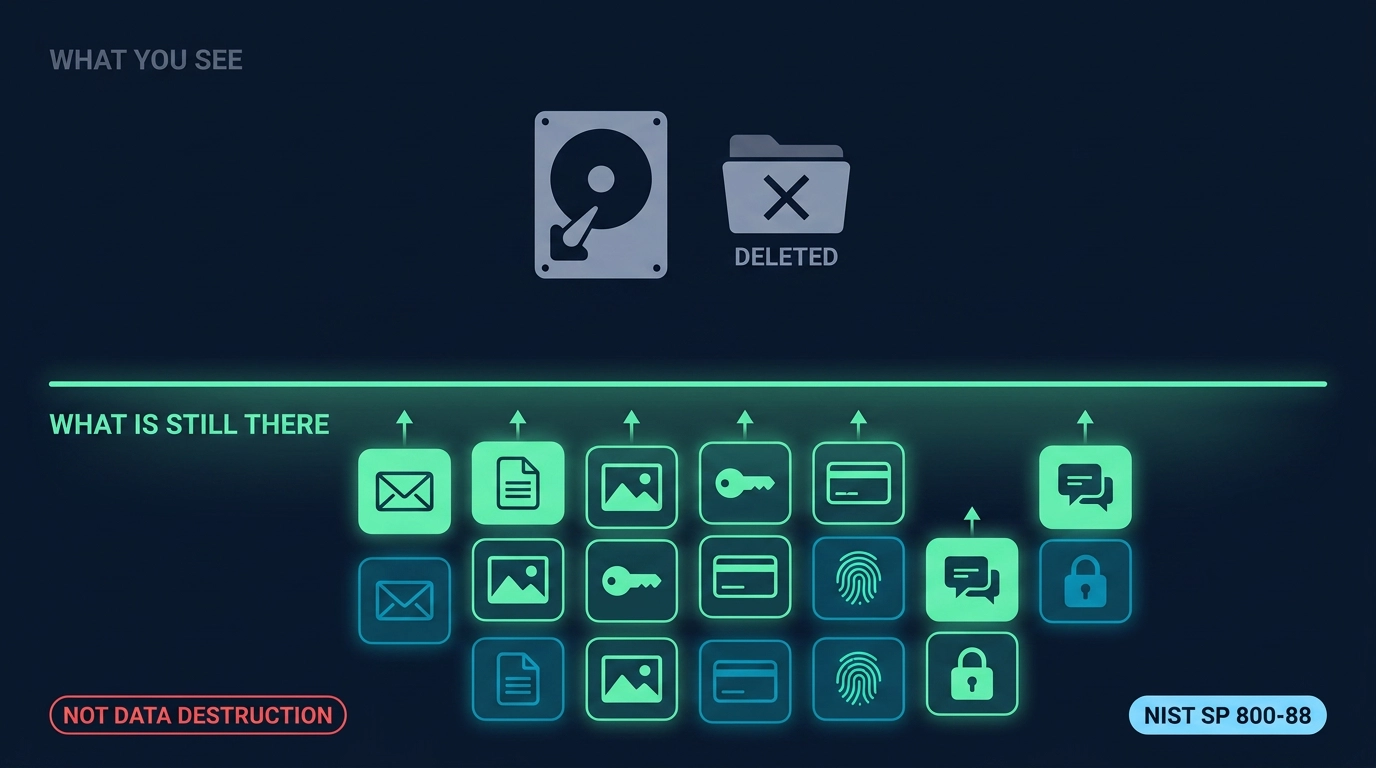
Think of your hard drive as a library. Each file is a book. A factory reset removes the index cards at the front desk. The books are still on the shelves. The librarian just cannot see them anymore, but a visitor with the right tools can find every one of them without any help from the desk.
Technically: a reset marks storage sectors as available for reuse. It does not overwrite the underlying data in those sectors. Until new files physically write over those blocks, the original data sits intact and is recoverable using standard forensic software. The same tools used by police digital forensics units are commercially available and easy to operate. Recovery takes minutes, not hours.
The numbers behind the myth
The scale of the problem is well documented. Studies suggest 90% of second-hand electronics still contain recoverable data after basic deletion or reset. Separate research focused on mobile devices found 35% of resold phones still held texts, emails, passwords and photos after a factory reset. And it extends beyond computers and phones: over 56% of used routers bought on the secondhand market were found to still hold active Wi-Fi credentials, VPN logins and encryption keys.
This is not just a consumer problem. Business devices hold client data, contracts, financial records, payroll information and credentials for company systems. A factory reset on any of them is not data destruction. It is an illusion of data destruction.
"All you are doing with a factory reset is removing the table of contents. The rest of the chapters are sitting there, waiting to be discovered." Pat Clawson, former CEO, Blancco Technology Group
The HDD versus SSD problem
Hard disk drives and solid-state drives work completely differently, and they need different treatment.
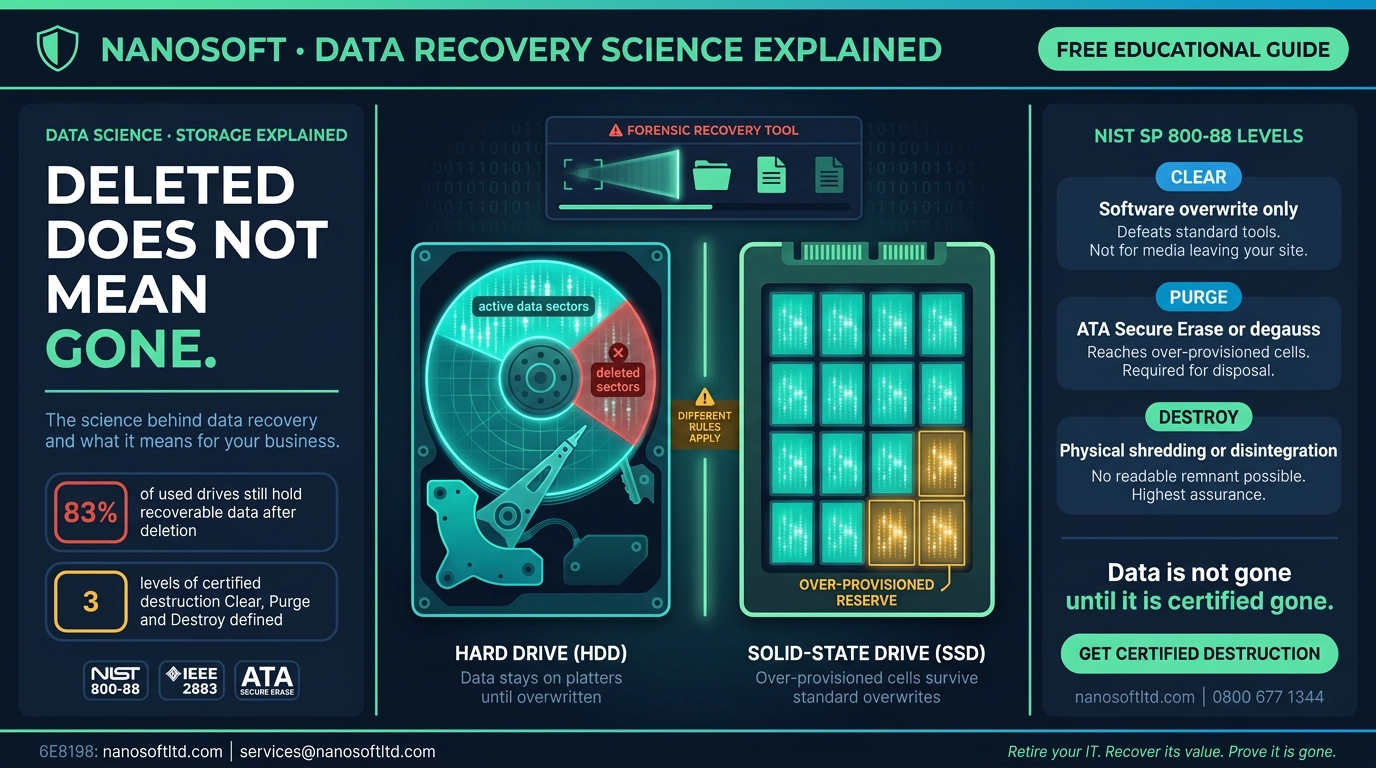
HDDs store data on physical magnetic platters. A verified overwrite replaces every sector with new data, making the original unreadable. Multiple overwrite passes increase security further. This is well understood and works reliably when done properly.
SSDs are more complicated. They use wear-levelling technology, which spreads write operations across far more cells than the visible storage capacity in order to extend the drive's lifespan. When you overwrite an SSD, some of the original data is sitting in over-provisioned cells that the overwrite never reaches. A standard overwrite on an SSD is incomplete by design. ATA Secure Erase, a command built into most modern SSDs, triggers the drive's internal erase cycle across all cells including the over-provisioned ones. Done correctly and verified, it works. But it must be explicitly run, confirmed and logged. A factory reset does none of this. It does not even try.
The standard that matters: NIST SP 800-88 Rev. 2
The globally recognised framework for data sanitisation is NIST SP 800-88 Revision 2, updated in September 2025. It defines three levels of sanitisation:
Clear: software-based overwrite removing data from user-accessible storage areas. Suitable for lower-sensitivity media being reused internally within the same organisation.
Purge: applies techniques such as ATA Secure Erase, cryptographic erase or degaussing for HDDs. Removes data from all areas including over-provisioned and remapped sectors. Required as a minimum for any media leaving organisational control.
Destroy: physical destruction, shredding or disintegration. Used for high-sensitivity data or media that cannot be reliably purged due to damage or drive type.
For most business IT disposal, Purge is the minimum acceptable level. For anything that held financial records, health data, legal documents or system credentials, Destroy should be the default.
What this means for UK businesses
Under UK GDPR and the Data (Use and Access) Act 2025, data controllers are responsible for the security of personal data through its entire lifecycle, including disposal. The obligation is to demonstrate appropriate technical measures. "We did a factory reset" is not a demonstration of anything. It is an assumption, and regulators do not accept assumptions as evidence.
The documentation that proves proper disposal is a Certificate of Data Destruction. It should name every device by serial number, confirm the sanitisation method used and the standard applied, and be issued by a certified third party. Without it, you cannot prove the data was destroyed. Without proof, in the eyes of the ICO, it was not destroyed.
A business checklist before any device leaves the building
Work through these six points before any IT asset goes to disposal, transfer or resale.
Identify the drive type. HDD or SSD. They need different methods and a single workflow does not cover both.
Apply the correct standard. NIST SP 800-88 Rev. 2 Purge level as a minimum for anything leaving the organisation.
Verify every device, not a sample. Spot-checking is not compliance. Every device must be confirmed and logged.
Obtain a Certificate of Data Destruction. Serial-level, signed, naming the method and standard used.
Confirm your vendor is certified. ISO 27001 certification at a minimum. Ask for certificate numbers.
Retain records for five years. Proof of destruction must be available if a regulator or client asks.
If you cannot confirm all six, the devices stay until you can.
Retire your IT. Recover its value. Prove it is gone.
Nanosoft provides fully certified data destruction for UK and EU organisations across HDDs, SSDs, mobile devices, servers and data centre equipment. Every job follows NIST SP 800-88 Rev. 2, produces a serial-level Certificate of Data Destruction and is completed under ISO 27001 certified processes. Where assets carry reusable value, we recover it and return it to you.
Contact Nanosoft: services@nanosoftltd.com | 0800 677 1344 | Unit 8 & 9 Maldon Trade Park, Heybridge, Maldon CM9 4LJ, UK
Nanosoft Team
Writer at Nanosoft - covering ITAD, data security, and sustainable technology lifecycle management.
Found this useful? Share it.