
Buyer guidePublished 12 October 2026

Your Old IT and the Planet: What UK Businesses Need to Know About E-Waste

Old laptops are not clutter. In law they are business waste, and what happens to them next is still your responsibility. This guide covers the scale of the e-waste problem, why reuse beats recycling, and what UK law expects of a business getting rid of old IT, and it ends with a five-step checklist for your next clear-out.

ISO 27001NIST 800-88WEEE CompliantCyber Essentials
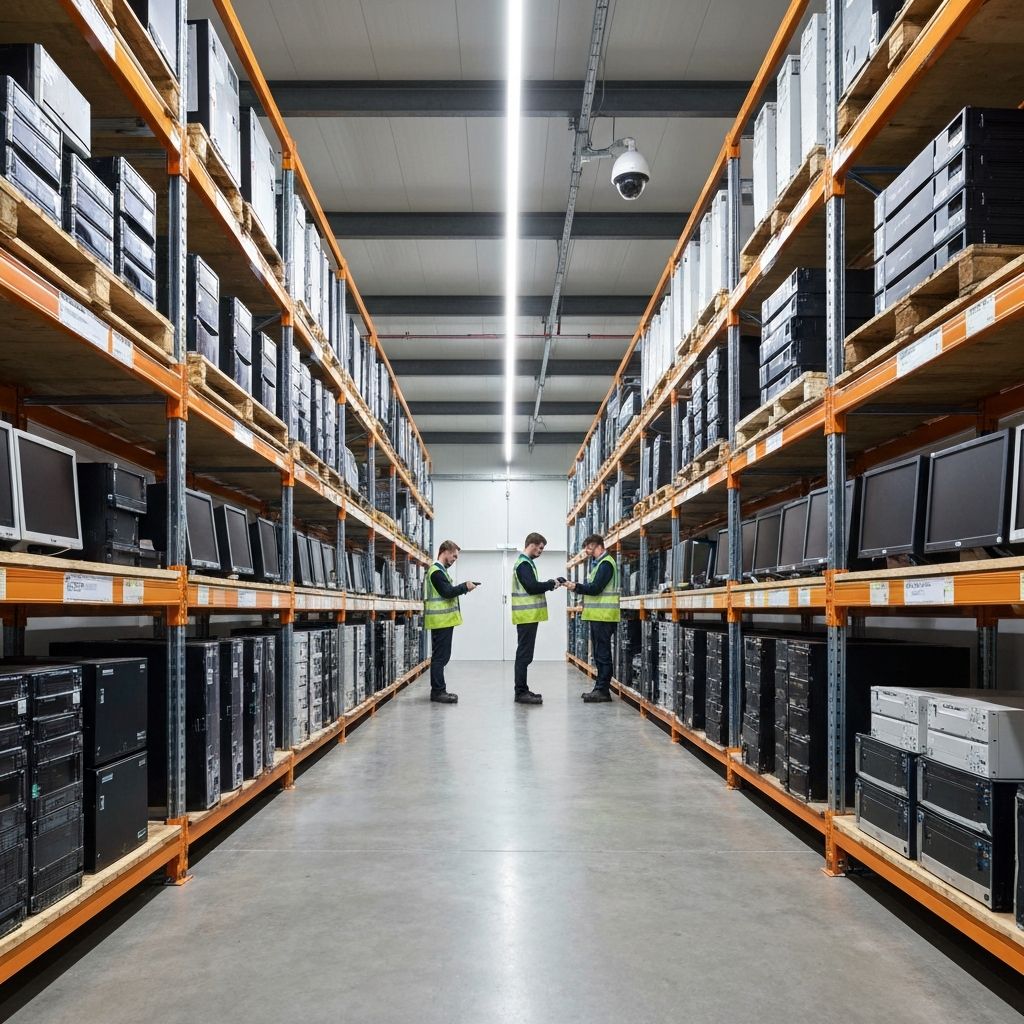
Racks of retired servers, desktops and monitors in a warehouse, with staff checking stock
Inside our UK facility
Racks of retired servers, desktops and monitors in a warehouse, with staff checking stock
The short answer

How should a UK business dispose of old IT?

Old IT is business waste. You must pass it only to someone authorised to take it, get a waste transfer note for each transfer, keep those notes for two years and apply the waste hierarchy, which puts reuse ahead of recycling. The data on each device must also be erased or destroyed, with proof.

The scale of the problem

Most businesses have one. A cupboard of laptops nobody uses, a box of phones from the last upgrade, or a server that was swapped out years ago. It feels harmless, but every one of those devices holds materials worth recovering. Most also hold data, and the law cares where both end up.

The world created a record 62 million tonnes of electronic waste in 2022. That is about 7.8 kg for every person on Earth, according to the UN's Global E-waste Monitor 2024.

Only 22.3% of it was documented as properly collected and recycled. E-waste is growing five times faster than documented recycling, and it is on track to reach 82 million tonnes by 2030.

That waste is not worthless. The metals inside 2022's e-waste were worth an estimated US$91 billion, including copper, gold and iron. Around US$62 billion of recoverable resources were never recovered. Recycling also met no more than 1% of the world's demand for rare earth elements (ITU press release).

Europe does better than most regions, with 42.8% documented as collected and recycled. It also generates the most e-waste per person, at 17.6 kg each. Every device that goes to the wrong place adds to the share nobody can account for.

Why reuse beats recycling

Most of a laptop's carbon footprint is created before anyone switches it on. Apple's environmental report for the 13-inch MacBook Air (M1) puts its lifetime footprint at 161 kg CO2e:

Life cycle stageShare of lifetime carbon
Production76%
Use15%
Transport8%
End-of-life processingUnder 1%

Source: Apple Product Environmental Report, November 2020. Other models will differ, so treat this as one published example rather than an industry average.

Recycling recovers some materials, but the carbon spent making the device is already gone. Keeping a working laptop in use for longer avoids building a replacement. That is why the greenest laptop is usually the one that already exists.

UK law reflects the same idea through the waste hierarchy. In order of preference it runs:

  1. Prevent waste in the first place
  2. Prepare for reuse
  3. Recycle
  4. Other recovery, such as energy recovery
  5. Disposal

For business IT, that means asking first whether a device can be redeployed, refurbished or resold. Recycling comes next. Disposal is the last resort.

A technician testing a laptop at a refurbishment workbench before it is reused

What UK law expects of your business

Old IT is business waste, and business waste comes with legal duties. The points below cover England and Wales. Scotland and Northern Ireland have similar rules with some differences.

1. The duty of care. Under section 34 of the Environmental Protection Act 1990, a business must handle its waste safely and pass it only to someone authorised to take it. Each transfer needs a waste transfer note, and you must keep those notes for two years. A business that fails this duty can face a fixed penalty. If prosecuted, the fine has no upper limit (GOV.UK code of practice; Hull City Council guidance).

2. The waste hierarchy. The Waste (England and Wales) Regulations 2011 require businesses to take all reasonable measures to apply the hierarchy when they transfer waste. The transfer note includes a declaration that you have done so (guidance to the 2011 Regulations).

3. Hazardous parts. Some items that come out of old IT are hazardous waste. GOV.UK's WEEE classification guidance lists lead-acid batteries, such as those in many UPS units, and nickel-cadmium batteries as hazardous. Lithium and lithium-ion batteries, the kind in laptops and phones, are classed as non-hazardous, but they are a fire risk and still need careful handling. Hazardous waste moves with a consignment note rather than a transfer note, and the business that produced it keeps its records for three years (GOV.UK hazardous waste guidance).

4. Digital waste tracking. Paper notes are being joined by a national digital record. From October 2026, permitted sites that receive waste in England and Wales must log what they take in. Sites in Scotland and Northern Ireland follow in January 2027, and carriers, brokers and dealers in October 2027 (GOV.UK digital waste tracking service). For now, paper transfer and consignment notes continue alongside it. Your own duty of care does not change, but expect your collector's paperwork to.

5. The data on the devices. Waste law covers the hardware. Data protection law covers what is stored on it. In 2013 the ICO fined NHS Surrey £200,000 after computers from a free disposal service were resold online with patient records still on them. The ICO said each drive should have been destroyed, with certificates listing every serial number (Pinsent Masons Out-Law). Getting rid of IT responsibly means meeting both sets of rules at once.

A five-step checklist for your next clear-out

  1. Ask about reuse first. Before anything is collected, check what can be redeployed in-house, refurbished or resold. Every working device kept in use is one less replacement to manufacture.
  2. Check who is taking it. Make sure your collector is authorised to handle the waste. Check their registration or exemption on the Environment Agency public register, and be wary of any service you cannot verify.
  3. Ask how a "free" collection is paid for. If it costs you nothing, the provider is likely earning from reselling your devices. That can be fine, but only with a contract, secure data erasure and proof.
  4. Get the paperwork and keep it. You need a waste transfer note for each collection, or a consignment note for hazardous items. File them for at least two years, or three years for consignment notes.
  5. Get proof for the data and the outcome. Ask for an itemised report that lists each device by serial number, showing whether its data was erased or the drive was destroyed. Ask too what was reused and what was recycled, which also helps with your sustainability reporting. Our ITAD documentation checklist sets out every document to expect.

How Nanosoft helps

Nanosoft is an IT asset disposition company based in Maldon, Essex. We put reuse first and give you proof at every step.

  • Collection: we collect your equipment and count it on site.
  • Processing at Maldon: we record each device's serial number, make, model and asset tag at our Maldon facility.
  • Data: we securely erase each device, or physically destroy the storage media.
  • Proof: you receive an itemised, serial-level report after processing.
  • A second life: we refurbish working kit for reuse under our Environment Agency T11 waste exemption (EXP/BP3843JW). From November 2026, refurbished business IT will be sold through Lodestock, our refurbished IT shop. Items that cannot be reused go for recycling.

We are certified to ISO 14001 (environmental management), ISO 27001 (information security), ISO 9001 (quality) and ISO 45001 (health and safety), and we hold Cyber Essentials certification.

Clearing out old IT? Call 0800 677 1344, email services@nanosoftltd.com, or see what your old kit could be worth with our ITAD ROI calculator.

Retire your IT. Recover its value. Prove it's gone.

Common questions

Frequently asked questions

No. Old IT is business waste covered by the duty of care. It must go to someone authorised to take it, with a waste transfer note. Some items, such as lead-acid UPS batteries, are hazardous waste, and the lithium-ion batteries in laptops are a fire risk in a general bin.

At least two years. If any of the waste was hazardous, keep the consignment notes and related records for three years.

Not usually. The waste hierarchy puts reuse ahead of recycling. Refurbishing working kit also avoids the carbon cost of building a replacement.

Not directly, unless you run a permitted site that receives waste. Those sites must report from October 2026 in England and Wales and from January 2027 in Scotland and Northern Ireland. Carriers, brokers and dealers follow in October 2027. Your duty of care stays the same, but your collector's paperwork is likely to change.

It can be, but ask how the provider makes money. Insist on a contract, secure data erasure and an itemised report listing each device by serial number.

Talk it through with a specialist

Reading is the easy half. Send us your asset list or your questions and we will map this guide onto your actual estate, with a same-day quote and no obligation.

ISO 27001NIST 800-88WEEE CompliantCyber Essentials