Windows 10 reached end of support on 14 October 2025. If part of your estate is still running it, you are now paying for that in one of two currencies: an Extended Security Updates subscription that doubles in price every year, or the falling residual value of hardware sitting in a cupboard. Most organisations are quietly paying in both.
The useful thing about this particular deadline is that Microsoft has published the numbers. You do not have to guess what delay costs. You can put it in a table.
The ESU meter, and why it doubles
Extended Security Updates let a Windows 10 machine keep receiving critical and important security patches after support ended. For businesses it is bought through volume licensing, and Microsoft's terms are unusually blunt about the pricing structure.
Extended Security Updates for organizations and businesses on Windows 10 can be purchased today through the Microsoft Volume Licensing Program, at $61 USD per device for Year One. The price doubles every consecutive year, for a maximum of three years.
Doubling is the part that catches people out, but it is not the expensive part. This is:
If you decide to purchase the program in Year Two, you have to pay for Year One too, as ESUs are cumulative.
You cannot wait and join later at the current year's rate. Deferring the decision does not defer the bill, it accumulates it. A business that holds off until Year Three and then decides it needs patched machines pays for all three years.
Run Microsoft's own figures out:
| ESU year | Runs from | Price per device | Cumulative if you start here |
|---|---|---|---|
| Year One | November 2025 | $61 | $61 |
| Year Two | November 2026 | $122 | $183 |
| Year Three | November 2027 | $244 | $427 |
For two hundred machines carried through to the end of the programme, that is a five-figure sum in security patches alone, spent on hardware that is worth less every month it waits. And it buys strictly that. ESU includes no new features, no non-security fixes, and no general technical support. It is life support, not a plan.
One detail worth knowing if your estate is mixed: eligibility requires the machine to be running Windows 10 version 22H2. An older build is not simply more expensive to keep, it is not eligible at all.
The landfill number, and why we do not repeat it
You have probably seen the figure. The research firm Canalys estimated that around 240 million PCs cannot upgrade to Windows 11, roughly a fifth of the installed base, and framed that as up to 480 million kilograms of potential electronic waste. It has been reprinted everywhere, usually with the word "landfill" attached.
The count is Canalys's and we have no reason to dispute it. The conclusion drawn from it is where we part company, because it rests on this:
partners will not be able to refurbish and resell PCs unsupported by Windows 11
That is too absolute, and it matters commercially, because a business that believes it becomes a business that skips the resale conversation entirely and asks for a shredding quote.
"Cannot run Windows 11" and "worthless" are different statements. A 2018 workstation that fails the TPM 2.0 check has not become slower. It has not stopped being a serviceable machine with a licence-free future in front of it. What it has lost is one specific upgrade path.
What the failing machines are actually good for
There are real routes, and being honest about their limits is more useful than pretending they are equivalent to a Windows 11 fleet.
Linux and ChromeOS Flex. Both install happily on hardware Windows 11 rejects, and both have a genuine secondary market. Whether either suits your users is entirely your call and depends on the applications they need. We are not going to tell you a machine running a different operating system is a drop-in replacement, because for most Windows-native line-of-business software it is not.
Buyers who do not need Windows 11. Plenty of workloads are indifferent to it. Kiosks, digital signage, test benches, workshop and lab machines, single-purpose terminals. The secondary market for these is unglamorous and real.
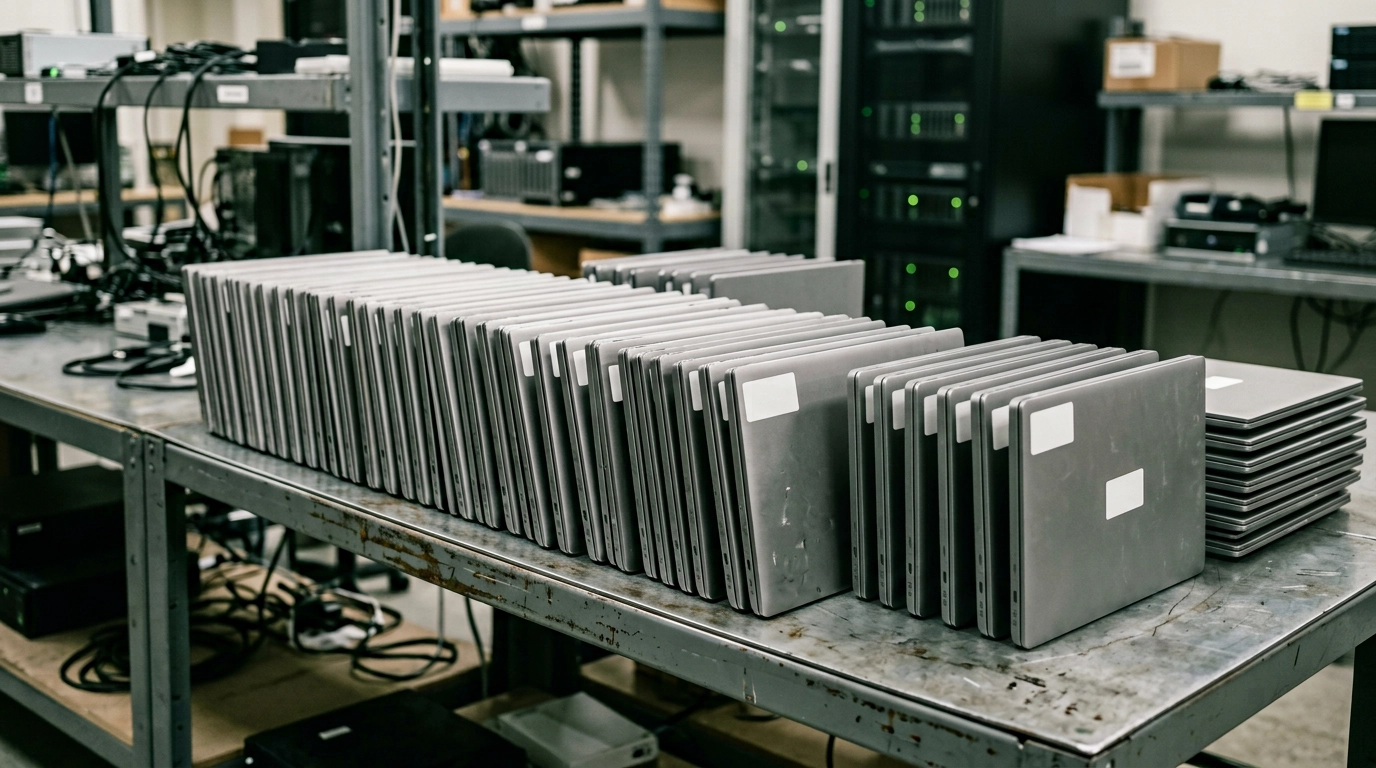
Component value. Where a whole machine genuinely has no onward life, memory, storage, screens and power supplies frequently do. That is a materially different outcome from weighing the thing in as scrap.
What we will not do is tell you to install Windows 11 on unsupported hardware. Microsoft does not support it, and putting an unsupported OS on a business machine handling personal data is not a decision anyone should make to save a line on a spreadsheet.
The two curves
Here is the shape of the decision, stripped of vendor noise.
The ESU cost curve goes up, on a published schedule, doubling annually and accumulating if you delay. The residual value curve of the hardware goes down, continuously, and does not come back. There is no point in the future where waiting improves either number.
That is unusual. Most IT decisions involve at least one variable where waiting might help, whether a price drop, a better product, or a clearer requirement. This one does not. Every month of deferral makes both sides of the ledger worse simultaneously.
Which does not mean refresh everything tomorrow. It means the machines you have already decided to replace should not be sitting in a store cupboard while the decision is made about the rest of the estate. Those are separable problems, and organisations routinely treat them as one.
What to do with the estate you are replacing
Three things, in this order.
Separate the machines by upgrade eligibility, not by age. Age is a poor proxy. Two machines bought in the same quarter can land on different sides of the Windows 11 requirements. Run the check and split the list, because the two groups have different destinations and different values.
Get the ineligible group valued before you assume it is scrap. This is the step the landfill headline talks people out of. A valuation costs you nothing and establishes whether you are disposing of an asset or a liability.
Sanitise and document at the point of collection, not later. Whatever the destination, the data obligation is identical, and the evidence has to name serial numbers. A machine that leaves undocumented is a machine you cannot account for if the ICO ever asks.
The honest summary
Windows 10 support ended in October 2025 and the consumer bridge closes on 12 October 2027, with the commercial programme running a maximum of three years from end of support. Those are Microsoft's dates, not predictions.
Between now and then, every organisation with Windows 10 machines is making a decision whether it schedules one or not, because the ESU price doubles annually and the hardware depreciates continuously whether anyone is watching or not.
The one part that is genuinely a choice is what happens to the machines that cannot make the jump. The industry has spent two years describing them as landfill. Before you accept that, find out what yours are worth. The answer is frequently not zero, and it is never zero for all of them.
Nanosoft Team
Writer at Nanosoft - covering ITAD, data security, and sustainable technology lifecycle management.
Found this useful? Share it.