Apple announced new Mac Studio and Mac mini models on 25 August. They ship on 22 September. If you run a Mac estate, neither of those is the date that matters to you. The one that matters is the morning in October when forty perfectly good machines come off desks, go into a cupboard, and somebody has to decide what happens to them.
That decision is worth more than most IT teams expect, and it is easier to get irreversibly wrong on Apple hardware than on any PC fleet you have ever retired. Not because the rules are obscure. Because the habits that work on Windows desktops actively destroy value on Apple silicon.
What was actually announced

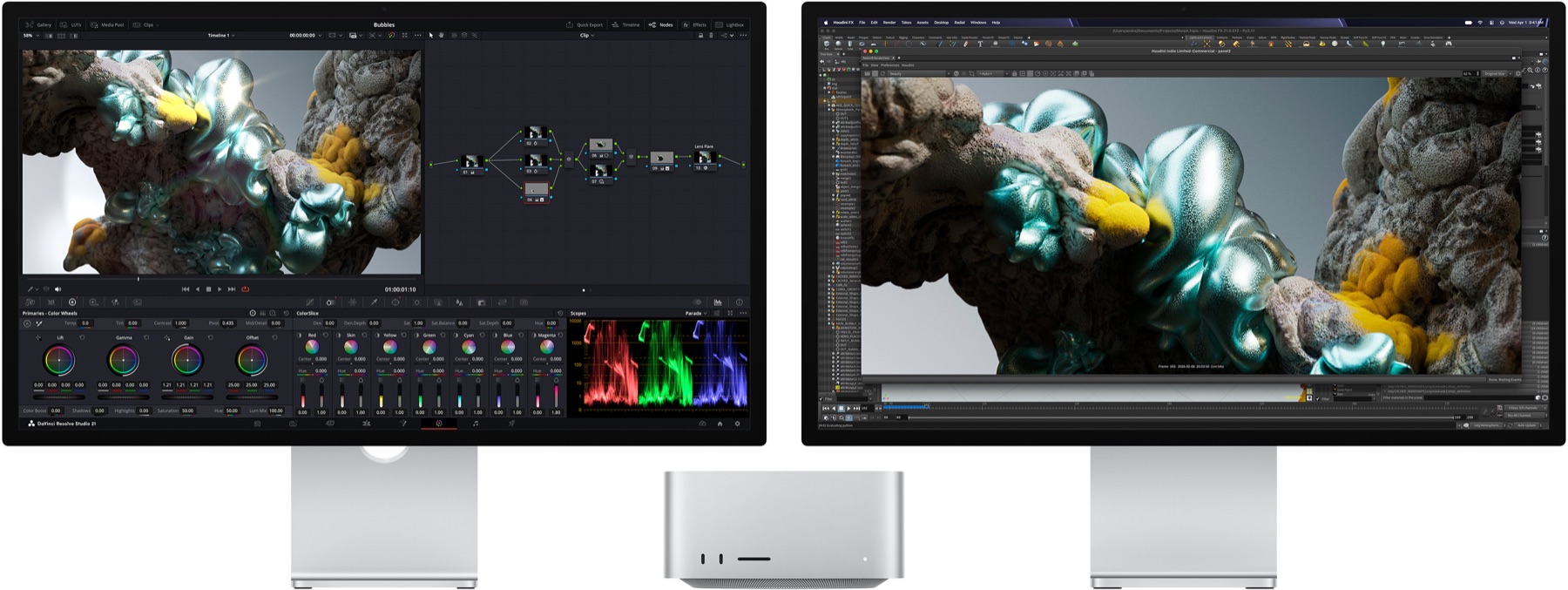
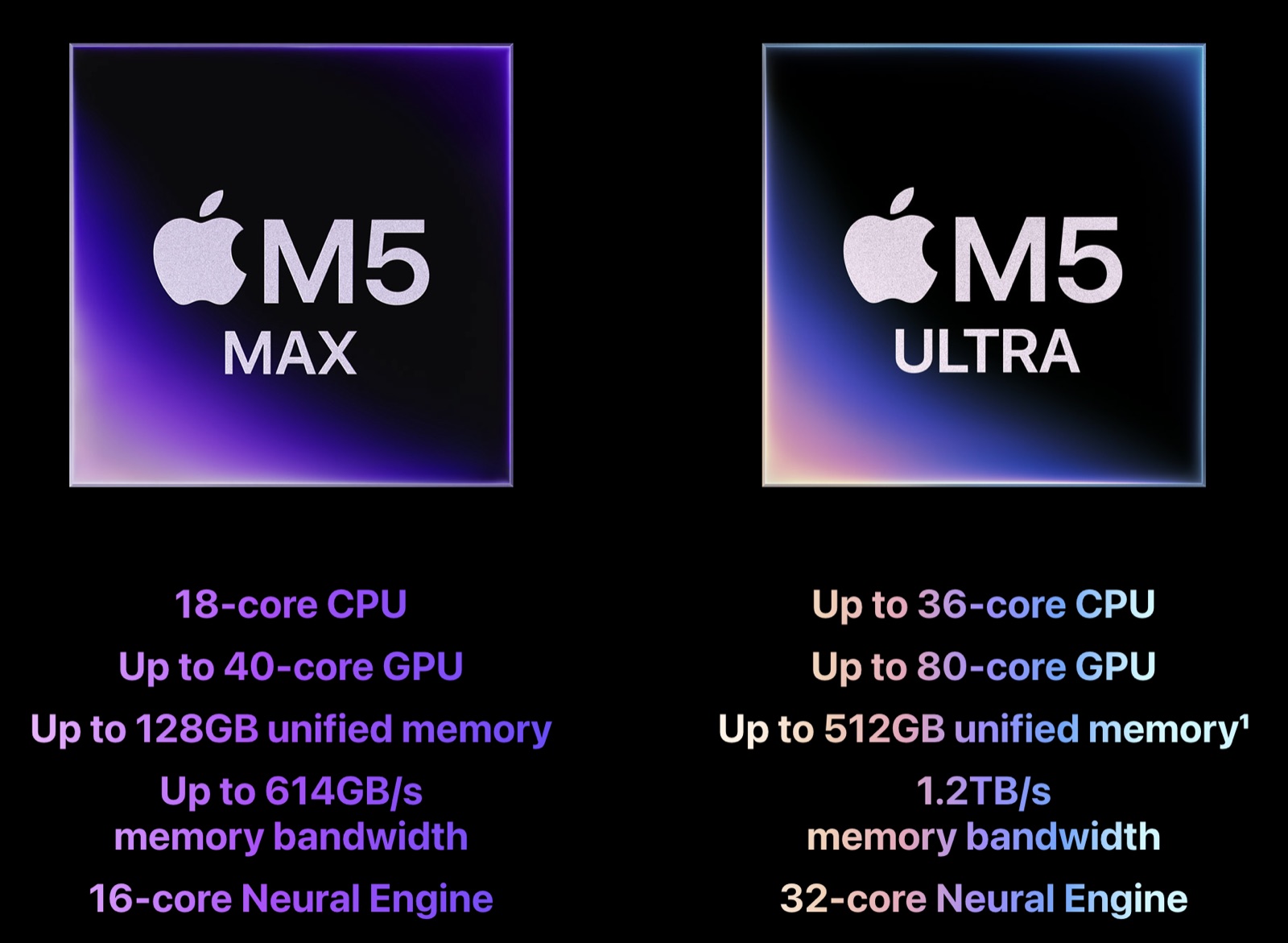
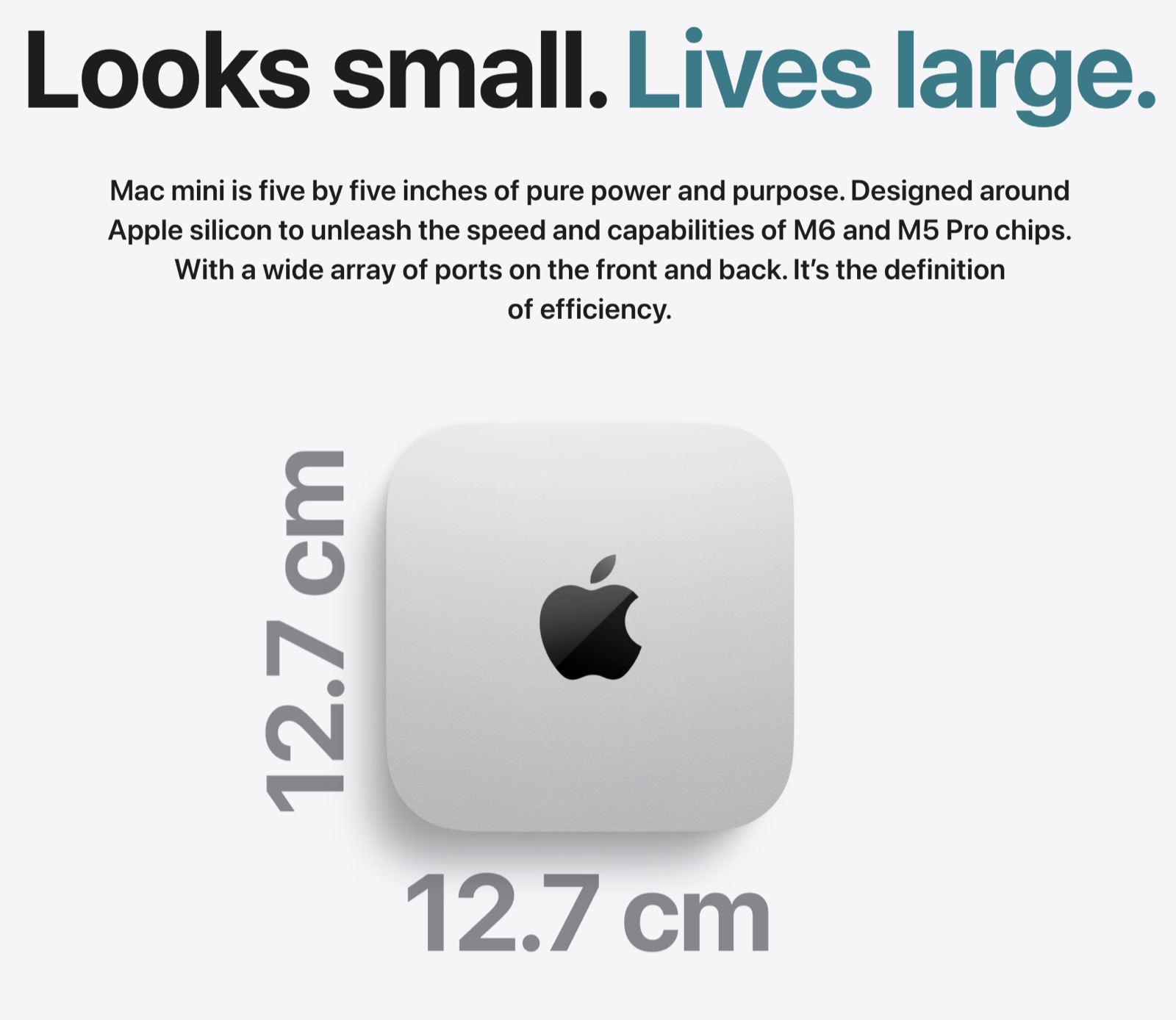
Mac Studio moves to the M5 Max, with an 18-core CPU and up to a 40-core GPU, and the M5 Ultra, which reaches up to a 36-core CPU and an 80-core GPU, with 1.2TB/s of memory bandwidth. UK pricing starts at £2,499. Mac mini takes a different path, getting the M6 alongside an M5 Pro option, and staying 12.7 cm square.
Your old Macs are not old PCs
Here is where most fleet disposal plans quietly break.
The standard enterprise instinct for a machine holding sensitive data is to remove the drive and destroy it. On a tower PC this is sensible and cheap. The drive is a discrete part, it comes out in ninety seconds, and the rest of the machine still sells.
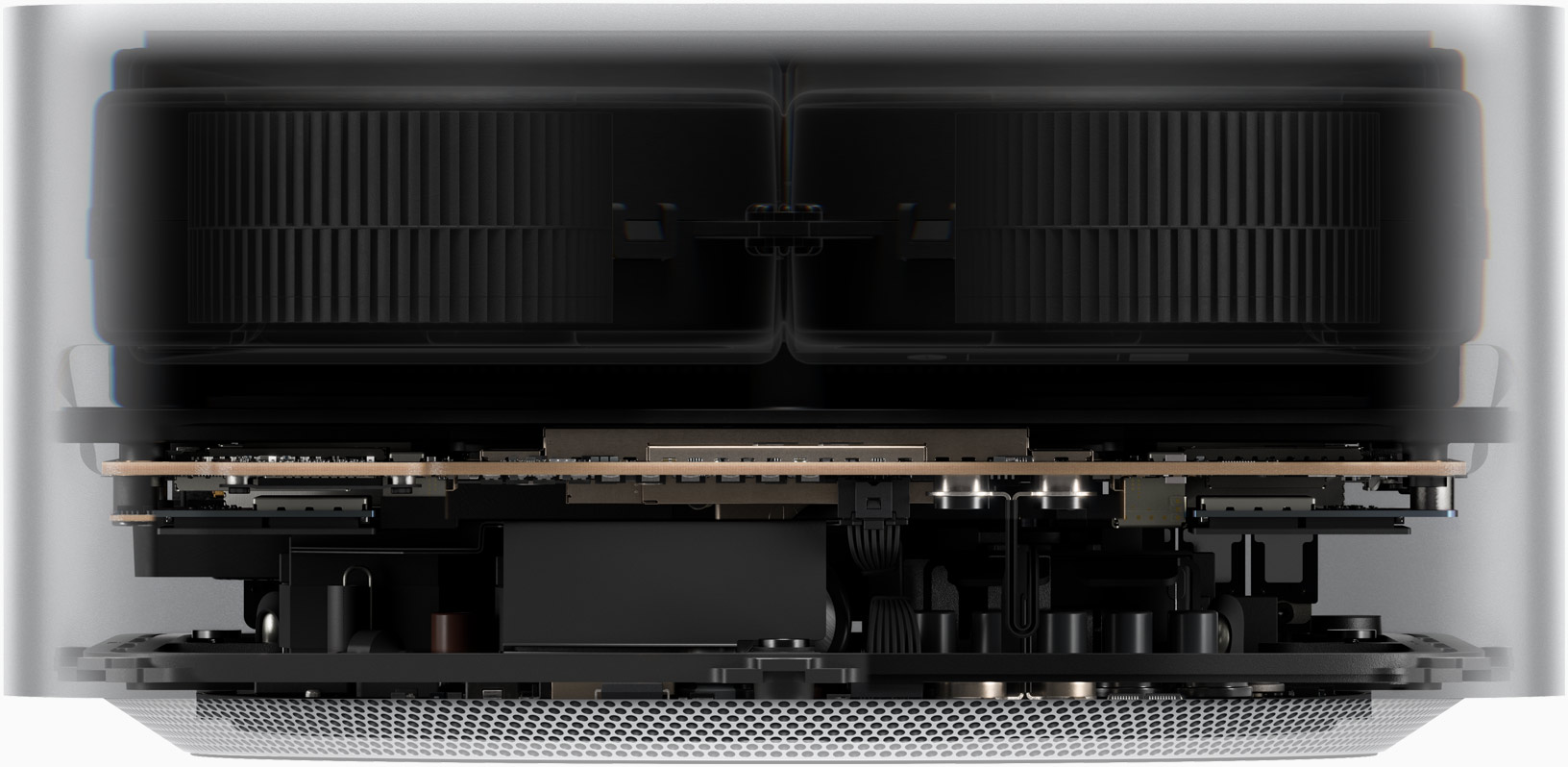
On an Apple silicon Mac, the drive is not a drive. Mac Studio and the current Mac mini do use removable storage modules rather than soldered NAND, which sounds like good news until you look at what the module actually is. It is not an NVMe SSD. The storage controller sits inside the M-series chip, and the encryption keys are generated in the Secure Enclave and tied to that individual processor. Apple's own platform security documentation is specific about where those keys live:
On a Mac with Apple silicon and those with the T2 chip, all FileVault key handling occurs in the Secure Enclave; encryption keys are never directly exposed to the CPU.
So the module comes out in the way a car's engine comes out. Remove it and you are not holding a drive anyone can read, because the keys that decrypt it never left the chip you left behind. You are also not holding a working Mac to sell, because a replacement module has to be re-paired to the Secure Enclave before the machine will boot at all.
Which means destroying the storage buys you nothing you did not already have, and costs you the residual value of a device you paid four figures for. The problem it solves was solved in hardware before the machine ever reached your desk.
What actually erases an Apple silicon Mac
Apple encrypts by default rather than on request:
All APFS volumes are created with a volume encryption key by default. Volume and metadata contents are encrypted with this volume encryption key, which is wrapped with a key encryption key (KEK).
So the data on the NAND is ciphertext from the moment it is written. Sanitisation is then a matter of destroying the key rather than overwriting the media, and Apple describes exactly that:
When deleting a volume, its volume encryption key is securely deleted by the Secure Enclave. This helps prevent future access with this key even by the Secure Enclave.
That last clause is the interesting one. Not merely inaccessible to an attacker. Inaccessible to the component that issued it. This is cryptographic erasure, which NIST 800-88 recognises as a purge-level sanitisation method in its own right rather than a shortcut around one.
The practical consequence: the correct handling of a retired Mac is a documented cryptographic erase and a resale, not a drilling. A provider proposing to shred your Mac estate is working from a PC template.
The step that cannot be undone
Now the part that costs organisations real money.
Activation Lock on a Mac requires Apple silicon or the T2 chip, which covers essentially every Mac Apple has shipped since 2018. On organisation-owned hardware it comes in two forms, organisation-linked and user-linked, and both have to be turned off before a device is disposed of or resold.
Turning it off is administratively trivial. Turning it off in the right order is the whole game, because of one sentence in Apple's Business Manager documentation:
Managing Activation Lock using Apple Business isn't possible after a device is released.
Release removes a device from your organisation's inventory. It is what a tidy-minded administrator does when clearing out records for machines that have left the building, and Apple makes you tick a box reading "I understand that this cannot be undone" before it proceeds.
So the failure runs like this. The machines are collected. Somebody in IT closes out the asset register and releases forty serial numbers from Apple Business Manager, because they are gone and the list should be clean. One of those forty is still Activation Locked to a departed employee's personal Apple Account. That lock can now never be cleared through Apple Business Manager, because the device is no longer in the inventory that Apple Business Manager can act on.
The machine is not damaged. It powers on. Nobody can activate it.
There is one route back, and it is worth knowing exactly how narrow it is. Apple operates an Activation Lock support request, open to organisations as well as individuals, which can remove the lock remotely. It requires valid proof of purchase: an original receipt or invoice showing the purchase date, the serial number and the retailer. Online order confirmations and packing slips are generally not accepted. Apple reviews the claim over a period of days, and approval is not guaranteed.
So ask whether your finance system can produce an original itemised invoice, matched to one serial number, for a machine bought four years ago through a reseller that may no longer trade. For some organisations that is a filing exercise. For most, across forty machines, it is not a process anyone wants to discover they depend on.
| Order | Step | What it costs to get wrong |
|---|---|---|
| 1 | Confirm every serial is present in Apple Business Manager before anything moves | Machines you cannot manage, discovered too late |
| 2 | Sign the user out of iCloud and Find My on the device | User-linked lock survives to the next step |
| 3 | Turn off Activation Lock, both organisation-linked and user-linked | The device is unsellable if you never come back to this |
| 4 | Erase all content and settings, and record that you did | No evidence of sanitisation for your audit file |
| 5 | Only now release the device from Apple Business Manager | Irreversible. Activation Lock can no longer be managed at all |
| 6 | Collect, and obtain a serial-level certificate of erasure | An asset register that does not reconcile |
Read that table as a sequence, not a checklist. Checklists get ticked in whatever order the work happens. This one has a dependency in it.
Timing, and what the old estate is worth
Apple will give you trade-in credit against the new machines, and for a handful of devices that is a perfectly reasonable answer. For a fleet, understand what you are trading: a credit note against a single vendor, applied per device, with no serial-level erasure certificate and no audit trail of where anything went.
We are not going to publish a percentage for what a used Mac retains, because any figure we quoted would be a guess dressed as data. What we will say plainly is that the value curve on retired IT points downwards and does not come back, and that the weeks between an announcement and a ship date are the cheapest time to plan disposal, because nothing has moved yet and every machine is still enrolled, still documented and still in somebody's care.
The honest summary
New Macs are the easy half of a refresh. Apple has made ordering them frictionless and has told you exactly when they arrive.
The half that carries risk is the estate leaving. On Apple silicon the data is already encrypted and the key destruction is genuine, so the machines are worth keeping intact and selling rather than shredding. The single genuinely irreversible action in the whole process is releasing a device from Apple Business Manager before its Activation Lock is cleared, and it turns working hardware into scrap silently, with no error message and only a proof-of-purchase claim to Apple standing between you and a total loss.
Get the order right and a fleet refresh returns money. Get it wrong on one machine in forty and you have quietly written off a laptop's worth of value for the sake of tidying a list.
Product photography in this article is Apple's own, reproduced from Apple's UK product pages for the purpose of reporting and commenting on the 25 August announcement. Apple, Mac, Mac mini, Mac Studio and Apple silicon are trademarks of Apple Inc. Nanosoft is not affiliated with, endorsed by or sponsored by Apple.
Nanosoft Team
Writer at Nanosoft - covering ITAD, data security, and sustainable technology lifecycle management.
Found this useful? Share it.