10 IT Asset Disposal Best Practices Every Organisation Should Follow
Disposing of IT equipment is not just a “clear the storeroom” task. Every laptop, server, phone, printer, network switch, or storage device can carry sensitive data, regulatory risk, and brand risk. Done properly, IT Asset Disposal (ITAD) protects your organisation, improves compliance, supports sustainability, and can even recover value.
Here are 10 best practices every organisation should build into their IT disposal process.
1) Treat ITAD as a security process, not a logistics job
Old assets often contain credentials, customer data, emails, contracts, HR records, tokens, VPN profiles, browser sessions, and saved passwords. ITAD should be governed like any other security control, with clear ownership, approvals, and auditable evidence.
Real-life tip: If your ITAD process does not produce evidence you could show an auditor or a customer, it is not strong enough.2) Maintain a complete asset inventory before anything moves
You cannot secure what you cannot account for. Before collection or decommissioning, confirm:
- Asset type, make/model, serial number
- Assigned owner / location
- Storage type (HDD/SSD/NVMe, removable media)
- Whether it is encrypted and managed (e.g., MDM, Intune, Jamf)
3) Enforce chain of custody from first touch to final outcome
A secure ITAD programme tracks exactly who handled each asset, when, where, and why. Chain of custody should cover:
- On-site collection and sealing
- Transport (vehicle, route controls, insurance)
- Intake scanning at the ITAD facility
- Processing steps (wipe, shred, refurbish, recycle)
- Final disposition and certification
4) Classify assets by risk and choose the right disposal method
Not everything needs the same treatment. Define risk tiers such as:
- High-risk: servers, storage arrays, laptops used by executives, devices holding regulated data
- Medium-risk: standard endpoints, network devices
- Low-risk: peripherals with no storage (monitors, keyboards)
Then map to approved methods: secure erasure, destruction, or recycling.
5) Use a recognised data sanitisation standard (and prove it)
Data deletion is not data destruction. Your process should align with an accepted standard such as NIST SP 800-88 for media sanitisation, and produce evidence:
- Wipe method used and verification outcome
- Device identifiers (serial numbers)
- Operator, time/date, and exceptions
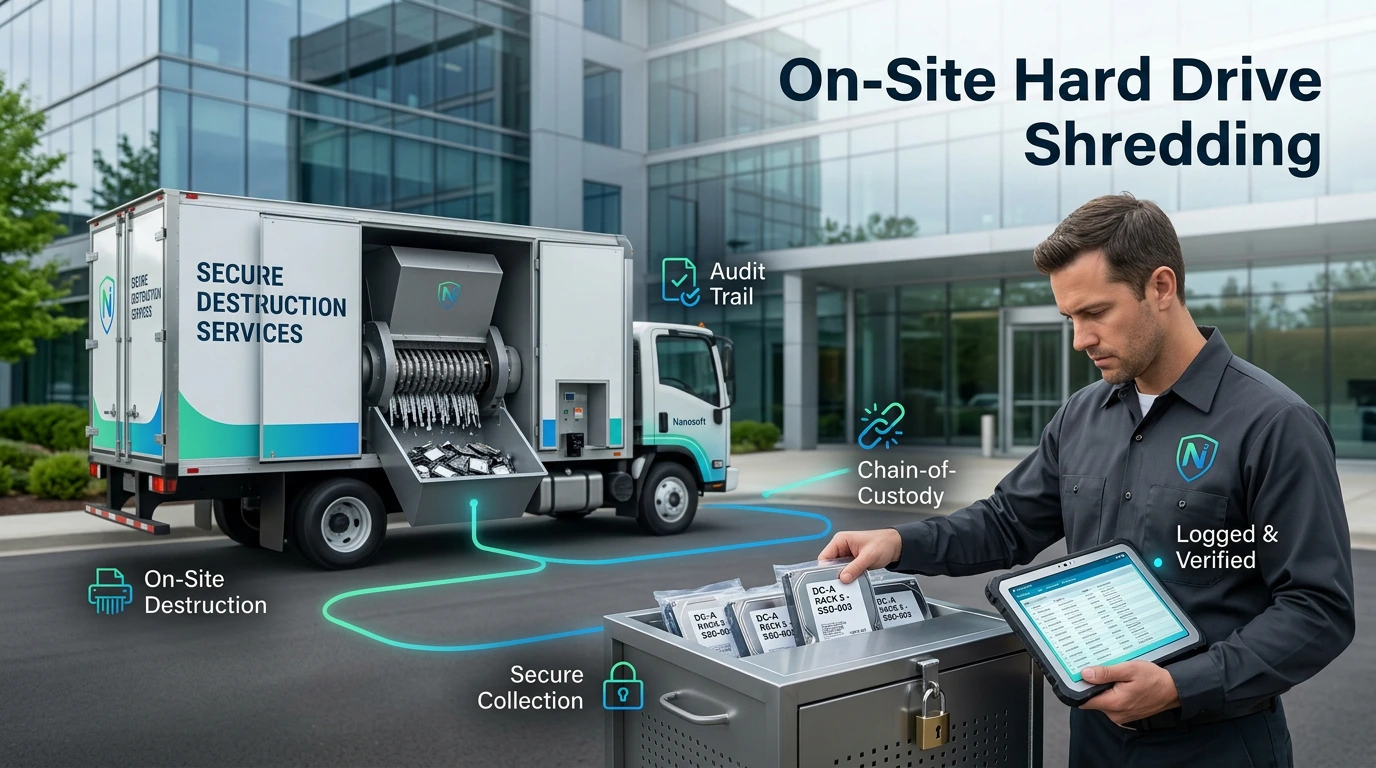
6) Consider on-site destruction for high-sensitivity media
For assets holding highly confidential or regulated data, on-site witnessed destruction reduces transport risk and provides immediate assurance. Typical examples:
- Hard drive shredding at your premises
- Witnessed destruction with instant certification
7) Remove access, accounts, and “digital footprints” before disposal
A secure ITAD programme includes identity and access clean-up:
- Remove devices from MDM/Intune/Jamf
- Revoke certificates, VPN profiles, and tokens
- Disable/close assigned accounts where appropriate
- Confirm encryption keys are managed correctly (or destroyed)
8) Secure storage and segregation during staging
Many organisations stage equipment for days (or weeks) before collection. That staging area needs controls:
- Locked cage/room with access logs
- Segregation of high-risk assets
- Tamper-evident seals for pallets/containers
- CCTV coverage where possible
9) Maximise reuse and value recovery responsibly
ITAD is not only about disposal. Refurbishment and resale (where appropriate) can:
- Reduce landfill
- Lower your carbon footprint
- Recover value to reinvest in IT/security
10) Make compliance and reporting part of the deliverable
Strong ITAD produces a pack you can use for auditors, customers, and internal governance:
- Certificate of Data Destruction / Data Erasure
- Itemised asset report (serial-number level)
- Chain-of-custody report
- Environmental recycling report (where applicable)
- Exceptions report (failed wipes, damaged media, missing items)
A simple ITAD checklist you can adopt today
If you want a quick “minimum standard” process, start here:
Confirm asset list + serial numbers
Classify risk tier (erase vs destroy)
Secure staging and access control
Chain of custody at every handover
NIST-aligned sanitisation + verification
Quarantine and destroy failed wipes
Remove devices from MDM/IAM systems
Receive certificates and full reporting
Track sustainability outcomes
Review exceptions and improve process
Final thought
IT Asset Disposal is one of those areas where organisations only discover weaknesses after an incident, an audit, or a customer security review. A mature ITAD process is simple in principle: know what you have, control every handover, destroy or wipe properly, and keep evidence.
Nanosoft Team
Writer at Nanosoft - covering ITAD, data security, and sustainable technology lifecycle management.
Found this useful? Share it.